Why Your PHP API Is Slow: 10 Real-World Performance Problems and How to Fix Them ⚡
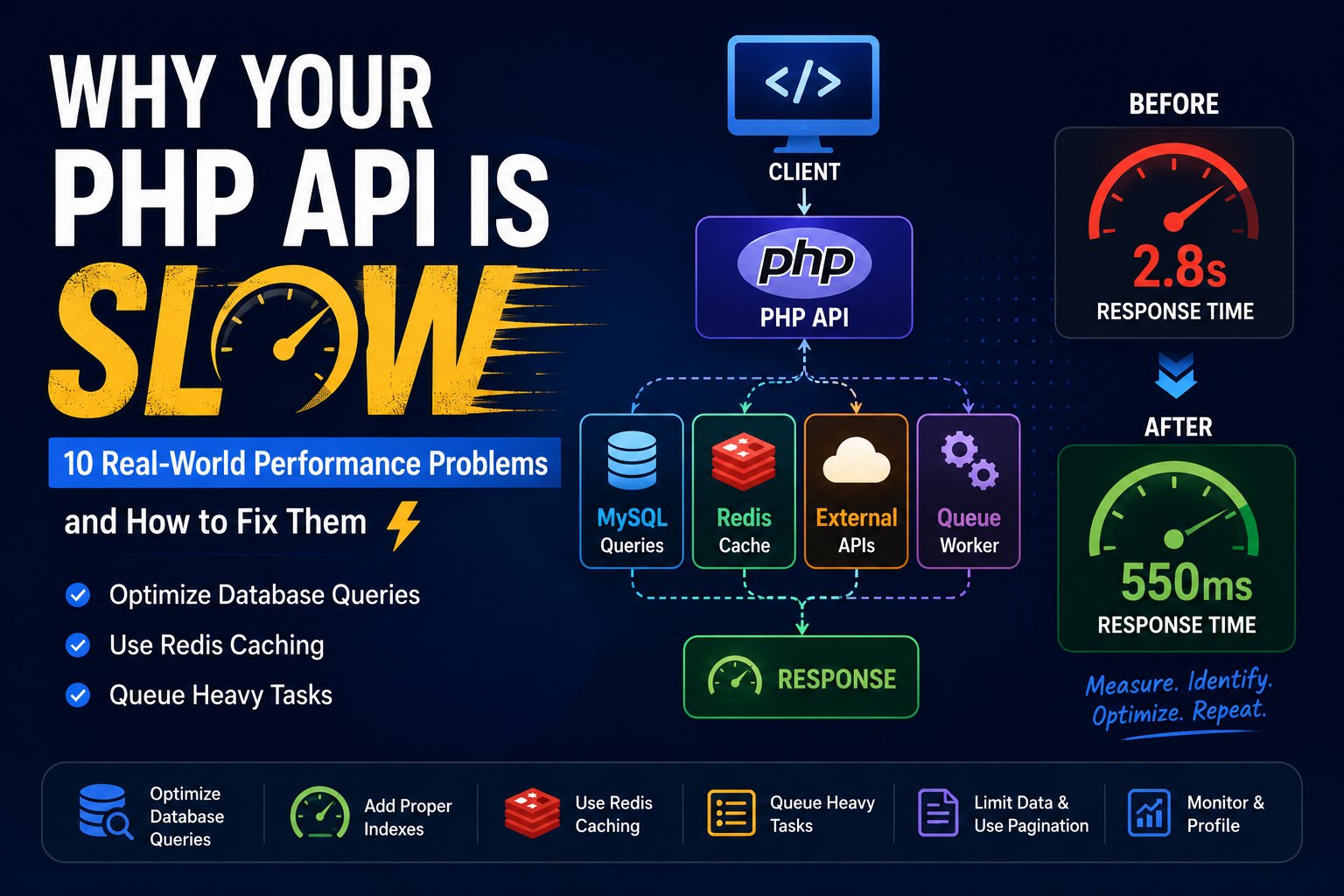
Why Your PHP API Is Slow: 10 Real-World Performance Problems and How to Fix Them ⚡
A PHP API can look perfectly fine during development and still become painfully slow in production.
You test an API locally:
Response: 50ms
Then production starts receiving real traffic:
Response: 2 seconds
And eventually:
Response: 5+ seconds
The interesting part is that the PHP code itself is often not the real problem.
Over the years, I've found that API performance problems usually come from a combination of database queries, external services, unnecessary processing, poor caching and inefficient application design.
Here are 10 problems I would check first.
1. Too Many Database Queries
This is probably one of the most common problems.
Imagine an API that loads 100 employees.
The code first loads the employees:
$employees = Employee::all();
Then inside a loop:
foreach ($employees as $employee) {
    $department = Department::find($employee->department_id);
}
You might think this is simple.
But if there are 100 employees, you could end up with:
1 query → employees

100 queries → departments

Total = 101 queries
This is commonly called the N+1 query problem.
Instead, try to retrieve the required data in fewer queries.
The goal should be something closer to:
1 query → employees
1 query → departments

Total = 2 queries
Reducing database round trips can make a huge difference.
2. Missing Database Indexes
Suppose you frequently execute:
SELECT *
FROM employees
WHERE company_id = 1001;
If company_id isn't indexed, MySQL may need to scan a large number of rows.
As the table grows:
10,000 rows
       ↓
100,000 rows
       ↓
1,000,000 rows
       ↓
Performance gets worse
An appropriate index can dramatically reduce the amount of data MySQL needs to examine.
For example:
CREATE INDEX idx_company_id
ON employees(company_id);
But don't blindly add indexes everywhere.
Indexes also have costs:
-
Additional disk space
-
Slower INSERT/UPDATE operations
-
Additional maintenance
Always check your actual query patterns.
3. Selecting More Data Than You Need
I often see APIs doing:
SELECT *
FROM employees;
when the API only needs:
id
name
email
Instead:
SELECT id, name, email
FROM employees;
Why does this matter?
Because you're reducing:
Database I/O
       ↓
Network transfer
       ↓
PHP memory usage
       ↓
JSON serialization
       ↓
Response size
Small optimization?
Maybe.
But at scale, these small optimizations add up.
4. Calling External APIs Inside the Request
Imagine your API does this:
Client
  ↓
PHP API
  ↓
Database
  ↓
Payment API
  ↓
Email API
  ↓
Another API
  ↓
Response
Your API's response time now depends on every external service.
If one service takes 2 seconds, your API might also take 2 seconds.
And if that service is temporarily unavailable, your API may become slow or fail completely.
Where possible, separate synchronous and asynchronous work.
For example:
User Request
     ↓
PHP API
     ↓
Save Data
     ↓
Return Response
     ↓
Queue
     ↓
Worker
     ↓
External API
The user doesn't necessarily need to wait for every background operation.
5. Not Using Caching
Some data doesn't change frequently.
For example:
Countries
States
Departments
Configuration
Permissions
Product Categories
Feature Flags
There is little reason to query MySQL every time.
This is where Redis can help.
A simple pattern is:
Request
   ↓
Redis?
  / \
YES  NO
 |    |
 |   MySQL
 |    |
 |   Redis
 |    |
 └────┘
   ↓
Response
For example:
$data = Redis::get('departments');

if (!$data) {
    $data = getDepartmentsFromDatabase();

    Redis::setex(
        'departments',
        3600,
        json_encode($data)
    );
}
The important thing is not simply "use Redis".
The important question is:
What should actually be cached?
6. Doing Heavy Work During the API Request
Some operations don't need to happen while the user is waiting.
Examples:
-
Sending emails
-
Generating reports
-
Processing large files
-
Generating PDFs
-
Sending notifications
-
Data synchronization
-
Bulk updates
-
Calling multiple external services
Instead of:
Request
 ↓
Do everything
 ↓
Response
consider:
Request
 ↓
Validate
 ↓
Save
 ↓
Push Job
 ↓
Response

              ↓
          Background
              ↓
           Worker
              ↓
        Heavy Processing
Queues are extremely useful for this.
Depending on the architecture, you can use systems such as Redis queues, RabbitMQ or Kafka.
7. Returning Huge JSON Responses
Imagine an API returns:
10,000 records
and every record contains:
20 fields
The database isn't the only problem.
PHP now needs to:
Fetch data
 ↓
Build objects
 ↓
Serialize JSON
 ↓
Send large response
The client also needs to download and process it.
Instead, use:
Pagination
?page=1&limit=50
Field selection
?fields=id,name,email
Filtering
?status=active
Sorting
?sort=created_at
A good API should avoid returning data that the client doesn't need.
8. Logging Everything Synchronously
Logging is important.
But excessive logging can become a performance problem.
Imagine an API processing thousands of requests and writing multiple large log entries for every request.
You can end up with:
PHP
 ↓
Application
 ↓
Logging
 ↓
Disk I/O
For high-volume systems, consider:
-
Appropriate log levels
-
Structured logging
-
Centralized logging
-
Asynchronous logging
-
Log rotation
-
Avoiding sensitive or unnecessarily large payloads
Logging should help you debug the system without becoming part of the bottleneck.
9. Poor Error Handling and Retry Logic
Retries are useful.
But uncontrolled retries can be dangerous.
Imagine:
PHP
 ↓
External API
 ↓
Timeout
 ↓
Retry
 ↓
Timeout
 ↓
Retry
 ↓
Timeout
Now multiply this by hundreds of requests.
You can create a retry storm.
Use controlled retry strategies such as:
Attempt 1
   ↓
Wait
   ↓
Attempt 2
   ↓
Wait longer
   ↓
Attempt 3
   ↓
Fail gracefully
This is where concepts like:
-
Timeout
-
Retry
-
Exponential backoff
-
Circuit breaker
-
Idempotency
become important.
10. Measuring the Wrong Thing
One of the biggest mistakes is trying to optimize code without measuring it.
If an API takes 2 seconds, don't immediately start rewriting PHP code.
First ask:
Where is the 2 seconds being spent?
It could be:
PHP execution       → 100ms
MySQL               → 1,200ms
External API        → 500ms
Redis               → 20ms
Serialization       → 80ms
Now the problem becomes obvious.
Optimizing the PHP code might save:
100ms → 80ms
But fixing the database query could save:
1,200ms → 100ms
This is why profiling comes before optimization.
A Simple API Performance Checklist
When I see a slow PHP API, I usually check these things first:
1. Database query count
2. Slow SQL queries
3. Missing indexes
4. N+1 queries
5. External API calls
6. Redis/cache usage
7. Large JSON responses
8. Heavy synchronous processing
9. Logging
10. CPU and memory usage
Then measure again.
A Practical Example
Suppose an API initially takes:
2.8 seconds
After profiling, we discover:
Database queries     → 1.5 sec
External API         → 700 ms
PHP processing       → 400 ms
Redis                → 100 ms
Other                → 100 ms
We don't need to optimize everything.
We should attack the biggest bottlenecks first.
After optimization:
Database             → 300 ms
External API         → moved to queue
PHP processing       → 200 ms
Redis                → 50 ms
The API might now return in:
~550 ms
That's a much better result than spending hours micro-optimizing PHP loops.
The Most Important Lesson
Don't optimize what you haven't measured.
A slow PHP API isn't necessarily a "PHP problem".
It could be:
                    Slow API
                       |
        ┌──────────────┼──────────────┐
        ↓              ↓              ↓
    Database        Network        Application
        ↓              ↓              ↓
     MySQL          APIs          PHP Code
        ↓              ↓              ↓
     Indexes        Timeout       CPU/Memory
     Queries        Retries       Serialization
Performance optimization is therefore less about writing clever code and more about understanding where the system is spending its time.
Final Thoughts
PHP is capable of handling very large applications.
When a PHP application becomes slow, the solution isn't always to move to another language or rewrite the entire application.
First understand the bottleneck.
Measure it.
Fix the biggest problem.
Measure again.
Then repeat.
That approach has served me much better than making random performance changes based on assumptions.
Measure → Identify → Optimize → Measure Again.
That's the performance cycle I follow.