Angular Zone.js vs Signals: What’s the Difference?
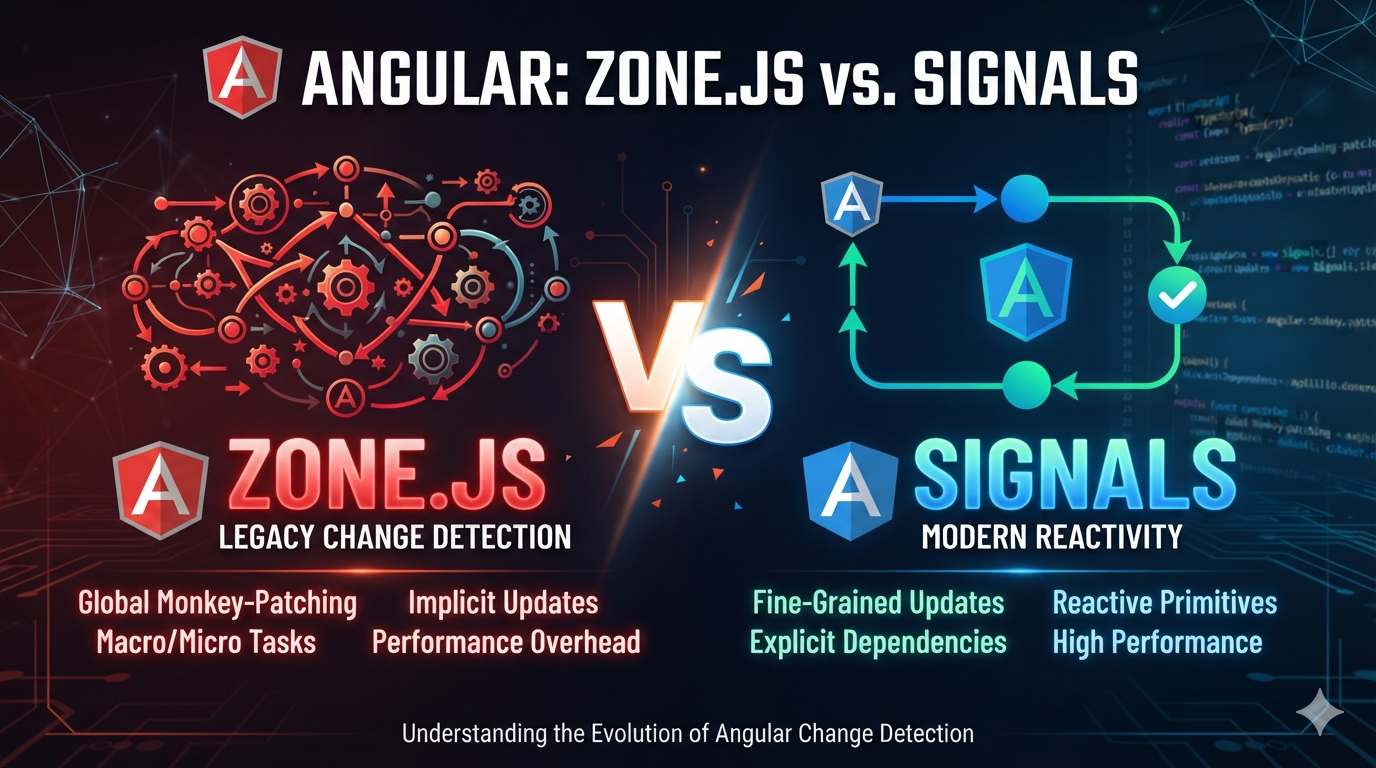
Angular Zone.js vs Signals: What’s the Real Difference?
If you are learning modern Angular, you have probably heard these two terms many times:
- Zone.js
- Signals
But there is a common misunderstanding:
"Are Signals replacing Zone.js?"
Not exactly.
They solve different problems.
Zone.js has traditionally helped Angular detect that asynchronous activity happened and decide when to run change detection.
Signals provide reactive state and dependency tracking, allowing Angular to know more precisely which parts of the application depend on changed state.
And with modern Angular, we can combine Signals with zoneless change detection and remove Zone.js completely.
The Short Answer
Zone.js
"Something happened. Angular, you may need to check the application."
Signals
"This specific state changed. These parts of the UI depend on it."
That difference is the main reason Signals and zoneless Angular can improve application performance.
What Is Zone.js?
Zone.js is a JavaScript library that historically helped Angular detect asynchronous activity.
It can observe activities such as:
- setTimeout()
- setInterval()
- DOM events
- Promises and microtasks
- Other asynchronous operations
A simplified flow looks like this:
Browser Event / Async Task
          |
          v
       Zone.js
          |
          v
"Something may have changed"
          |
          v
Angular Change Detection
          |
          v
       Update UI
The important word here is "may."
Zone.js knows that something happened, but it does not know whether your application state actually changed.
A Simple Zone.js Example
setInterval(() => {
    console.log('Heartbeat');
}, 1000);
This timer executes every second.
But imagine it does not change anything displayed on the screen.
The application state may remain exactly the same.
Yet asynchronous activity has happened.
This is one reason Angular applications using Zone.js can sometimes perform change-detection work that is not actually required.
What Are Signals?
Signals provide a reactive way to store and track state in Angular.
A simple Signal looks like this:
import { signal } from '@angular/core';

count = signal(0);
Read the value:
console.log(this.count());Update the value:
this.count.set(10);Or update it based on the previous value:
this.count.update(value => value + 1);Angular tracks where a Signal is read.
That means Angular can understand the relationship between state and the UI.
Example: Signal in a Component
import { Component, signal } from '@angular/core';

@Component({
    selector: 'app-counter',
    template: `
        <h2>Count: {{ count() }}</h2>

        <button (click)="increment()">
            Increment
        </button>
    `
})
export class CounterComponent {

    count = signal(0);

    increment() {
        this.count.update(value => value + 1);
    }
}
The template reads:
{{ count() }}Angular therefore knows that the template depends on the count Signal.
When the Signal changes, Angular has precise information about the state that changed.
So What Is the Actual Advantage?
This is the important part.
Suppose your application has:
1,000 components
+
Multiple timers
+
HTTP requests
+
WebSocket events
+
Animations
+
Third-party libraries
Only one small component changes.
The question is:
Does Angular need to spend work checking unrelated parts of the application?
With a Zone.js-based approach, asynchronous activity can cause Angular to schedule change detection even when the activity did not change relevant application state.
With Signals, Angular has dependency information about which UI parts consume the state.
Zone.js vs Signals — Simple Comparison
| Area | Zone.js | Signals |
|---|---|---|
| Primary purpose | Detect async activity | Track reactive state |
| Knows which state changed? | Not directly | Yes |
| Dependency tracking | No | Yes |
| Can cause unnecessary synchronization? | Yes | Less likely when used correctly |
| Fine-grained reactivity | No | Yes |
| Requires Zone.js runtime | Yes | No |
But What About Memory Usage?
This is where we need to be careful.
You may see claims such as:
"Signals use 40% less memory."

"Signals are 50% faster."
There is no universal number that is true for every Angular application.
Why?
Because memory usage depends on many factors:
- Number of components
- Number of Signals
- Number of dependencies
- RxJS subscriptions
- Application data
- Third-party libraries
- Browser
- Angular version
- Application architecture
Signals also have their own dependency-tracking data.
Therefore:
Signals are NOT guaranteed to use less memory than Zone.js.
The important benefit is more precise state tracking and the ability to run Angular without Zone.js.
What About Execution Time?
The same principle applies to execution time.
There is no universal benchmark such as:
Zone.js  = 100 ms
Signals  = 50 ms
That would be misleading.
Instead, think about how much unnecessary work your application performs.
For a small application:
10 components
Few async operations
Simple UI
The difference may be difficult to notice.
For a large application:
1,000+ components
Many async operations
WebSockets
Timers
Animations
Large third-party libraries
The difference can become much more important because unnecessary change-detection work can happen more frequently.
Where the Performance Improvement Actually Comes From
It is important to understand that the performance improvement is not simply:
Zone.js → SignalsIt is more accurately:
Zone.js
   +
Traditional Change Detection
        |
        v
Signals
   +
Zoneless Change Detection
        |
        v
More precise update scheduling
Angular's zoneless approach removes Zone.js from the change-detection scheduling path.
Angular can instead use framework notifications such as:
- A Signal read by a template being updated
- An input changing
- A template event occurring
markForCheck()being called- A view being attached
Zone.js Architecture
             Browser
                |
        +-------+-------+
        |               |
     Click          setTimeout
        |               |
        +-------+-------+
                |
                v
             Zone.js
                |
                v
       Angular Change Detection
                |
                v
        Check Application
                |
                v
             Update UI
Signals + Zoneless Architecture
       Application State
                |
                v
             Signal
                |
                v
       Angular knows which
       UI depends on it
                |
                v
       Targeted synchronization
                |
                v
             Update UI
Why Zoneless Is Important
Signals become especially interesting when Angular does not need Zone.js.
Without Zone.js, Angular no longer has to use asynchronous activity as the primary indication that something might have changed.
Instead, Angular can rely on its own notification mechanisms.
This has several potential benefits:
- Less unnecessary change-detection scheduling
- Lower Zone.js runtime overhead
- Smaller JavaScript payload when Zone.js is removed
- Potentially better startup performance
- Better debugging experience
- More predictable change-detection behavior
Angular Version Matters
This is especially important if you are learning Angular today.
Zoneless change detection became stable in Angular 20.2.
Starting with Angular 21, zoneless change detection is enabled by default.
So modern Angular is moving away from depending on Zone.js for change-detection scheduling.
How to Enable Zoneless
In Angular versions where you explicitly enable it, you can use:
import {
    provideZonelessChangeDetection
} from '@angular/core';

bootstrapApplication(AppComponent, {
    providers: [
        provideZonelessChangeDetection()
    ]
});
For Angular 21+, zoneless is already the default, so you normally do not need to add this provider.
Removing Zone.js
Once an application is ready for zoneless operation, Zone.js can be removed from the build.
For example, remove:
import 'zone.js';from projects that explicitly import it.
You can also remove the dependency:
npm uninstall zone.jsHowever, do not blindly remove Zone.js from an old production application.
Third-party libraries or application code may still depend on Zone.js behavior.
Signals and OnPush
Signals work particularly well with OnPush components.
import {
    Component,
    ChangeDetectionStrategy,
    signal
} from '@angular/core';

@Component({
    selector: 'app-user',
    changeDetection: ChangeDetectionStrategy.OnPush,

    template: `
        <h2>{{ username() }}</h2>
    `
})
export class UserComponent {

    username = signal('Santosh');

}
Angular tracks the Signal when it is read by the template.
When the Signal changes:
this.username.set('Angular Developer');Angular knows that the component's template depends on that Signal.
Signals Are Not a Replacement for RxJS
Another common misunderstanding is:
"If I use Signals, I don't need RxJS anymore."
That's not correct.
Signals are excellent for application state and reactive UI state.
RxJS is still extremely useful for streams and asynchronous workflows.
| Signals | RxJS |
|---|---|
| Component state | Event streams |
| Derived state | HTTP stream composition |
| UI state | WebSockets |
| Fine-grained reactivity | Complex async workflows |
| Simple state dependencies | Operators, cancellation and stream transformations |
Modern Angular applications can use both.
A Practical Performance Example
Imagine a dashboard containing:
Dashboard
 |
 +-- Header
 +-- Sidebar
 +-- User Profile
 +-- Notifications
 +-- Sales Chart
 +-- Employee Table
 +-- Activity Feed
 +-- Chat
 +-- Footer
Now suppose a WebSocket receives a notification:
{
    "message": "New notification"
}
Only the notification component needs to reflect the new state.
With a reactive Signal-based design, the notification state can be represented as:
notifications = signal([]);When the state changes:
this.notifications.update(
    list => [...list, newNotification]
);
Angular has explicit information about the state that changed and where that Signal is consumed.
This is the key advantage of fine-grained reactivity.
How Do You Actually Measure the Difference?
Instead of trusting a random percentage on the internet, benchmark your own application.
Use Chrome DevTools and Angular DevTools to compare:
| Metric | What to Measure |
|---|---|
| JavaScript size | Initial bundle size |
| Startup | Time until application becomes interactive |
| Change detection | Number and duration of change-detection cycles |
| CPU | Main-thread CPU usage |
| Memory | Heap usage in Chrome DevTools |
| FPS | Rendering performance during heavy interaction |
For example, you can compare:
Version A
Zone.js + existing change detection

vs

Version B
Signals + Zoneless
Run the same workload several times and compare the results.
This gives you meaningful numbers for your application instead of relying on a generic benchmark.
What About Memory?
Measure it instead of assuming it.
In Chrome:
DevTools
   |
   +-- Memory
   |
   +-- Performance
   |
   +-- Angular DevTools
Compare:
Initial Heap
Peak Heap
After Garbage Collection
Number of Objects
Long-lived Objects
This is much more useful than saying:
"Signals use 20% less memory."because that percentage may be true for one application and completely wrong for another.
What About Bundle Size?
This is one area where removing Zone.js has a more direct effect.
If Zone.js is included in your application's build, removing it removes that dependency from the JavaScript bundle.
But again, the exact reduction depends on your build configuration and Angular version.
You can measure the actual result using your production build:
ng build --configuration productionThen compare the generated bundle sizes before and after removing Zone.js.
When Should You Use Signals?
Use Signals When:
- You need component state.
- You need derived state.
- You want explicit reactive dependencies.
- You are building a new Angular application.
- You want to prepare your application for zoneless change detection.
Don't Rewrite Everything Just Because Signals Exist
If you have a large existing application, migration should be gradual.
First understand:
- Where change detection is happening.
- Which components are expensive.
- Which third-party libraries create asynchronous activity.
- Where unnecessary change detection occurs.
Then migrate and measure.
A Practical Migration Path
Existing Angular Application
            |
            v
      Identify State
            |
            v
     Introduce Signals
            |
            v
      Use OnPush Patterns
            |
            v
       Test Application
            |
            v
     Enable Zoneless
            |
            v
      Measure Results
            |
            v
      Remove Zone.js
            |
            v
     Optimize Further
The Biggest Misconception
Do not think of the change as:
Zone.js = Bad
Signals = Good
That's too simplistic.
Zone.js solved a real problem for Angular applications.
It allowed developers to write normal asynchronous JavaScript without manually telling Angular after every asynchronous operation that it should check for changes.
The problem is that this mechanism does not always know whether application state actually changed.
Signals provide Angular with much more precise information about state dependencies.
Zoneless Angular then allows the framework to use those notifications without depending on Zone.js.
The Real Difference in One Diagram
             ZONE.JS

       Async activity
             |
             v
          Zone.js
             |
             v
   "Something may have changed"
             |
             v
      Change Detection
             |
             v
         Update UI


             SIGNALS

       State changes
             |
             v
          Signal
             |
             v
   "This state changed"
             |
             v
   Angular knows its consumers
             |
             v
      Update affected UI
Final Takeaway
The biggest advantage of Signals is not that they magically make every Angular application faster.
The real advantage is precision.
Zone.js traditionally tells Angular:
"An asynchronous operation happened.
Something might have changed."
Signals tell Angular:
"This particular state changed.
These parts of the application depend on it."
When combined with zoneless change detection, Angular can avoid depending on Zone.js to infer application changes from asynchronous activity.
That can reduce unnecessary work, reduce Zone.js-related overhead, and make change detection more explicit.
But don't believe random claims such as:
"Signals are always 50% faster."

"Signals always use 30% less memory."
There is no universal number.
Measure your own application.
That is the correct way to evaluate performance.
One Sentence to Remember
Zone.js tells Angular that something may have changed; Signals tell Angular what state changed.
And that shift toward more precise reactivity is one of the most important changes happening in modern Angular.
Author: Santosh Chakraborty
Topics: Angular, Signals, Zone.js, Zoneless Angular, Change Detection, OnPush, TypeScript, Frontend Development